← Back to templates

iOS APP TEMPLATE

iQOS Control

A connected experience. Down to the details.

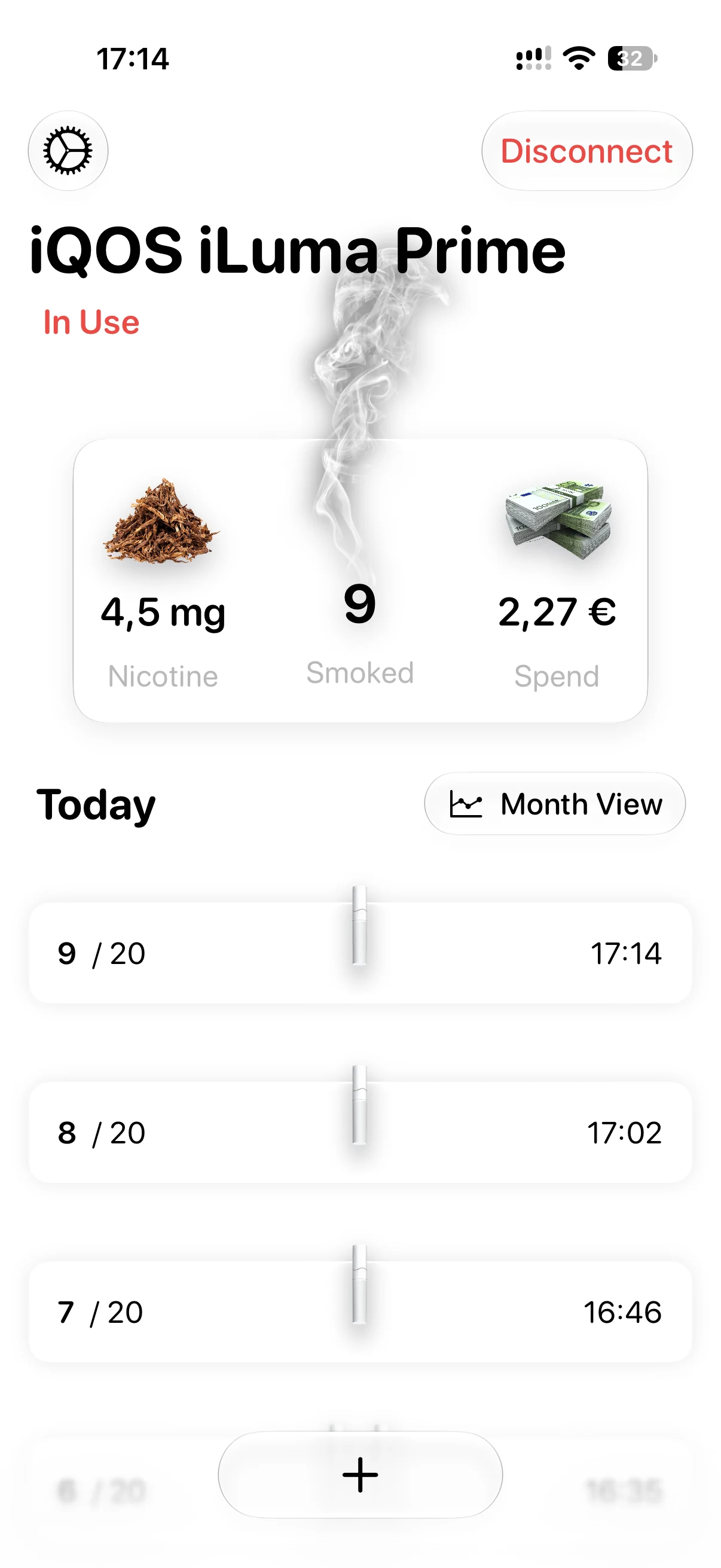
An iOS app for connecting to compatible iQOS devices and keeping a history of usage. Explore a real implementation of Bluetooth communication, persistent data, interactive charts and Live Activities.

SwiftUICore DataWidgetKitCore Bluetooth

Project updated:

€239.99 VAT included

One-time purchase · Commercial license

Get the source code Source code, license and setup guide
PlatformiOS 26.0+FormatXcode project · ZIP

Your browser’s regional settings determine the local equivalent automatically. Estimates only; checkout is in EUR.

BETA · iOS

iQOS Control

Try it on your device.

Tell us why you’d like to try the app. We’ll review your request and email you if we can offer you access.

Before you request access

Allow at least 3–4 days. We review requests manually. Before external testing can begin in TestFlight, the first build must pass Apple’s review so we can send invitations. Preparation and review may take longer.

You need to have TestFlight ↗ installed on the device you will use to try the app. App requirement: iOS 26.0+.

How to receive and install the trial
  1. If we can offer you access, we’ll send an invitation to the email address in your request once the beta is ready.
  2. Open the invitation on your device, tap “View in TestFlight”, accept the invitation and install the app.
  3. Each build can be tested for up to 90 days from its upload date, not from your invitation. TestFlight shows the time remaining and lets you send feedback or report issues.

The trial is temporary and may contain bugs. It does not include the product’s source code or license.

Apple’s TestFlight guide ↗

We’ll use these details to review your request and reply. Privacy.

Preparing the form…

What’s inside the app

Built with native tools.

01

Connect & track

Scan for compatible devices, connect over Bluetooth and automatically record usage.

02

History with context

Daily records, monthly charts, configurable targets and spending calculations.

03

Beyond the app

Lock Screen widgets, Live Activities and device connection notifications.

04

Make it your own

Device appearance, settings and a complete SwiftUI interface ready to customize.

Your download includes

  • ✓Xcode source project
  • ✓Product license · PDF
  • ✓Configuration guide · PDF
Read about the license

Before you begin

A Mac with Xcode supporting iOS 26, an Apple Developer account for device capabilities, and a supported iQOS device to test Bluetooth features.

The minimum OS is taken from the supplied project. Compatibility with future versions requires review.

Explore another project

Apps